One rebuild project, every shop, one invoice.
Heavy equipment rebuilds fall apart when every shop quotes separately, adds its own margin, and gets reconciled by hand. RebuildIQ turns a rebuild into one templated project — intake, shop estimation, supervisor review, commercial quoting, parts, time, and billing, all on one record.
RebuildIQ was born from direct experience: while at SAP, our founders built a rebuild-center solution for Caterpillar’s roughly $50M Australian rebuild business — and hit the exact wall RebuildIQ solves. That motivated building it properly, as a product.
Four ways the current process costs you margin.
Each shop quotes separately without visibility into the others — margins stack on top of each other, and the total can nearly double the true cost of the repair before the customer sees a price.
Hundreds of parts across multiple shops on the same rebuild are tracked in spreadsheets and phone calls. Parts ordered by one shop are invisible to another until a collision happens on-site.
No project templates, no reuse of historical job data, no standard BOM. Every rebuild estimate starts from a blank page, and every estimator does it differently.
The overall rebuild and each shop's work exist as separate jobs with no native link — reconciling them by hand at billing is a multi-day exercise every time.
What the original Caterpillar rebuild-center problem actually looked like.
What one project record across every shop looks like.
Rebuild-center experience from ServiceCPQ's founding team.
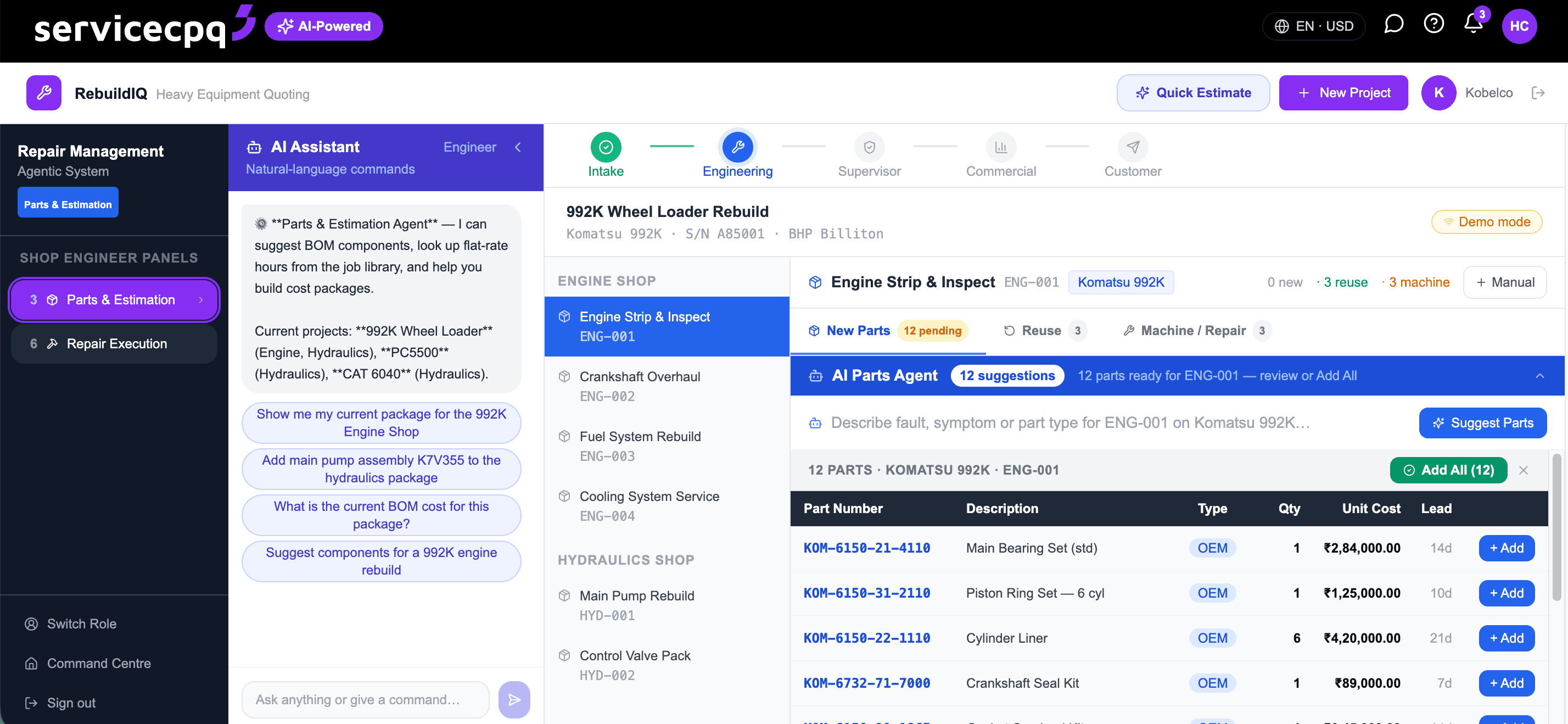
Reception & Intake
Every rebuild starts as a released project from a template — not a blank quote.
Equipment arriving at the shop is logged with fault details and urgency.
Known work types start from a pre-built project template instead of a blank estimate.
A first-pass estimate is captured at intake, before any shop gets involved.
Customer and machine details are captured once and carried through the whole project.
Frequently asked questions
RebuildIQ is ServiceCPQ's multi-shop repair and rebuild management platform — turning a heavy-equipment rebuild into a single templated project, from intake through billing, instead of coordinating a builder, an advisor, a price developer and Excel across multiple shops.
Each shop assigned to a project submits its own bill of materials, parts, and labour as a versioned package for supervisor approval. Sales sees every shop's approved cost in one view, instead of collecting quotes from each shop separately.
No — parts requisitions, job scheduling, and cost postings flow to SAP automatically on approval. RebuildIQ replaces the disconnected builder, advisor, price-developer and Excel tools that otherwise sit between the shop and SAP, not SAP itself.
The overall rebuild is tracked as a master work order, with each shop's package as a linked child work order — so the whole project, and every shop's contribution to it, stays connected instead of being reconciled by hand.
It's built from direct experience solving this exact problem at Caterpillar's rebuild center in Australia, where a roughly $50M rebuild business ran on seven disconnected tools and still couldn't coordinate multiple shops on one job without the cost nearly doubling.