The aftermarket operating system, not another point tool.
Warranty, parts, field service, rebuilds and contracts don't run on four disconnected apps here. Five knowledge graphs share one event stream, and four AI copilots reason over them — so every opportunity, quote, claim and work order lives on the same connected system.
Five knowledge graphs, one event stream.
The copilots don’t hold their own data. They read a shared graph layer — five graphs, one event stream — so a signal on one becomes an action on another without an integration in between.
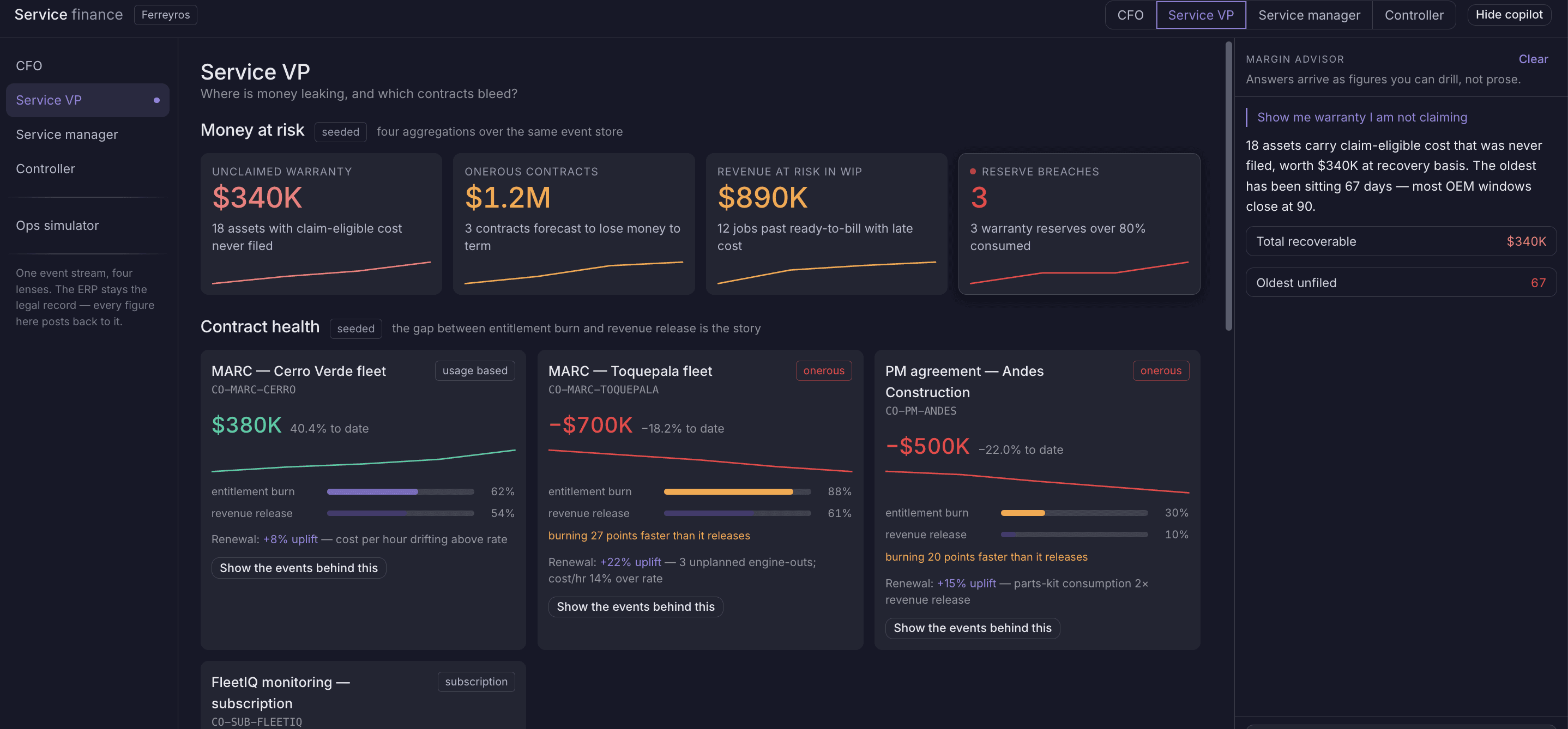
Every service event carries its margin — one event stream, priced as it happens.
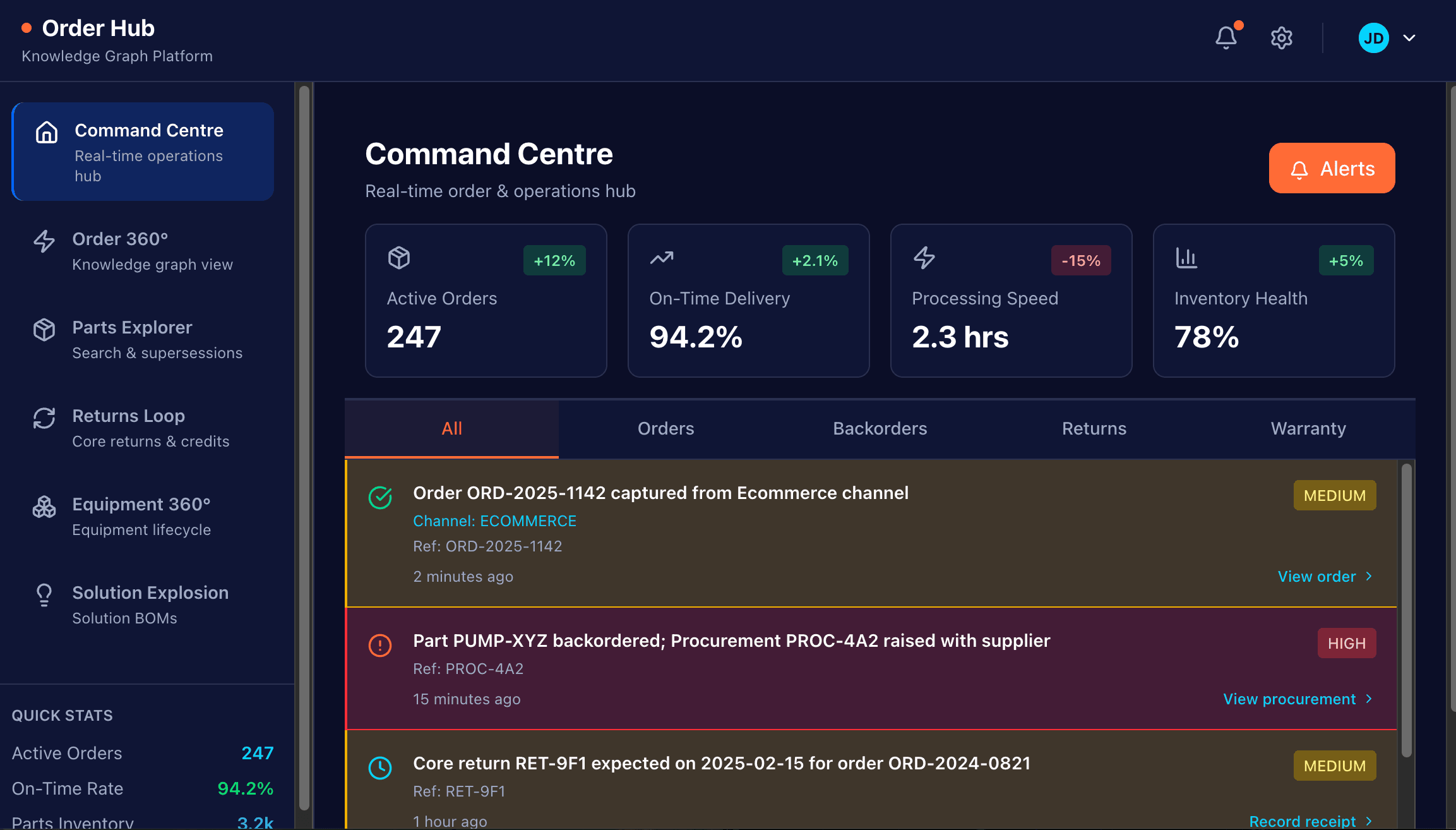
Parts, returns and backorders as one live order graph across channels.
Why every work order exists — traced from fault or contract to the fix.
Warranty entitlement and contract coverage on one graph, checked automatically.
The installed base and its condition — telemetry, faults and health scores.
Field and shop, from origination to settlement.
Reads the Work Order graph and the machine's health to open the right job, schedule it, execute it and settle it — the same copilot behind ServiceCPQ Field Service.
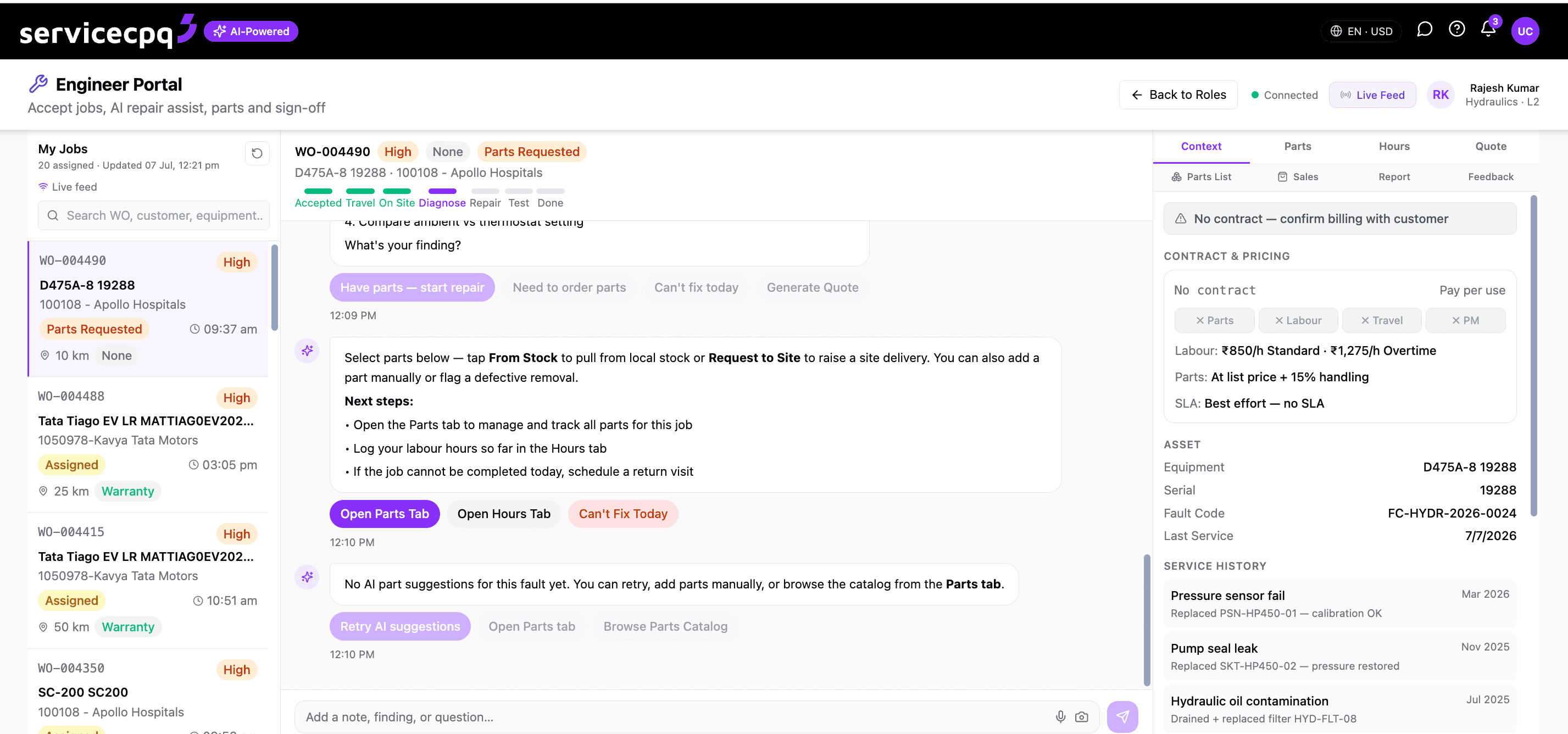
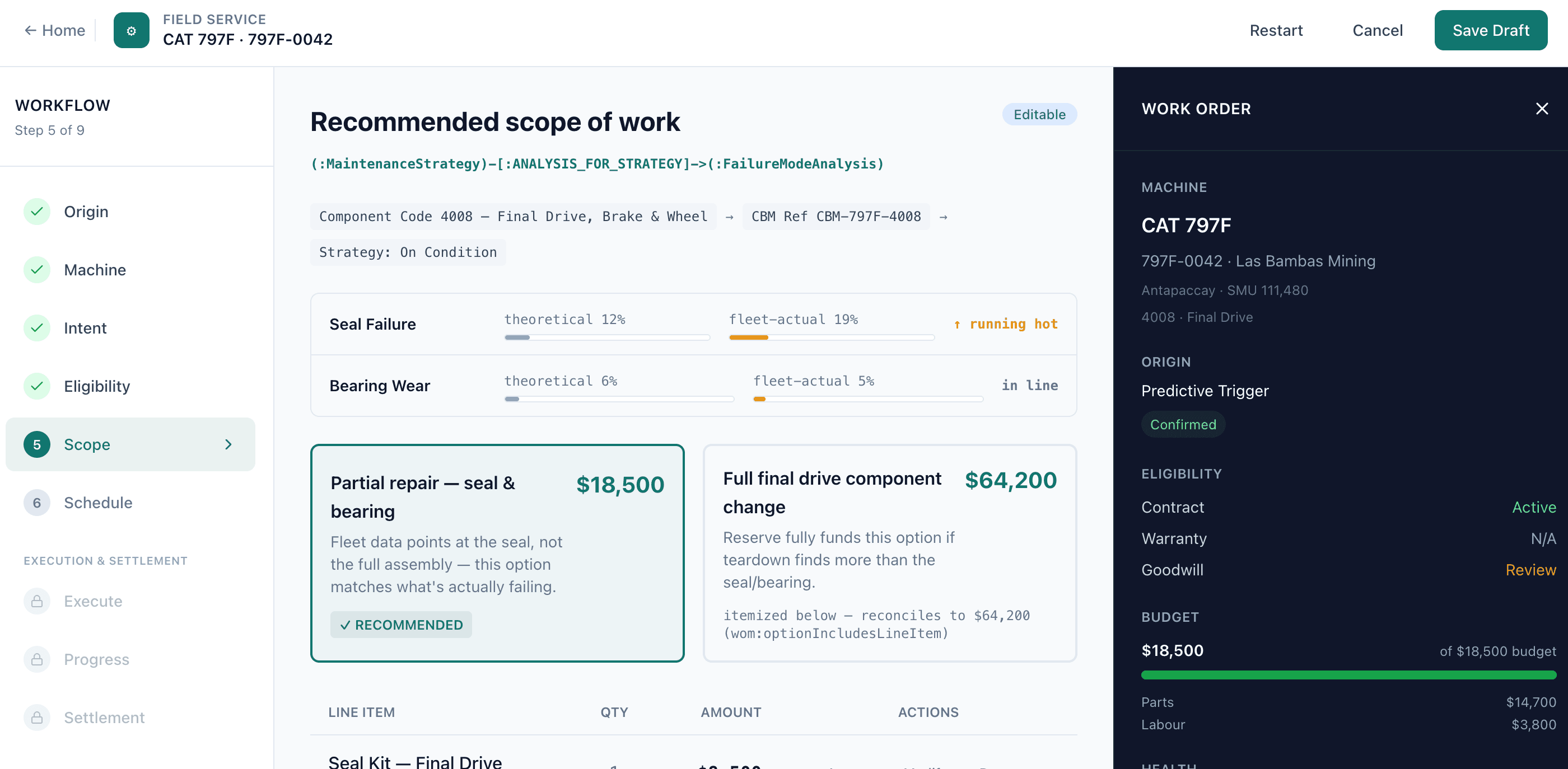
A fault, a scheduled PM or a customer request opens the right work order, with its reason on the graph.
Jobs ranked and assigned by urgency, skill and location — field engineer or shop.
Parts, hours and findings captured on the work order, with the fix and part pre-attached.
Invoice, warranty claim or contract billing drafted automatically on close.
Strip, diagnose and quote a rebuild across shops.
For component rebuild and overhaul across multiple shops: strip and diagnose, generate the proposal, get shop-by-shop approval, and consolidate it into one quote.
Component teardown captured against the machine, with findings feeding the estimate.
A costed rebuild proposal is generated from findings and historical rebuilds.
Each shop reviews and approves its scope before the work is committed.
One quote consolidates every shop's scope, parts and labour for the customer.
Validate, adjudicate and recover, in hours.
Validates policy and rates, audits the date sequence for fraud signals, and packages supplier recovery — the engine behind Warranty Automation and Warranty Claims Management.
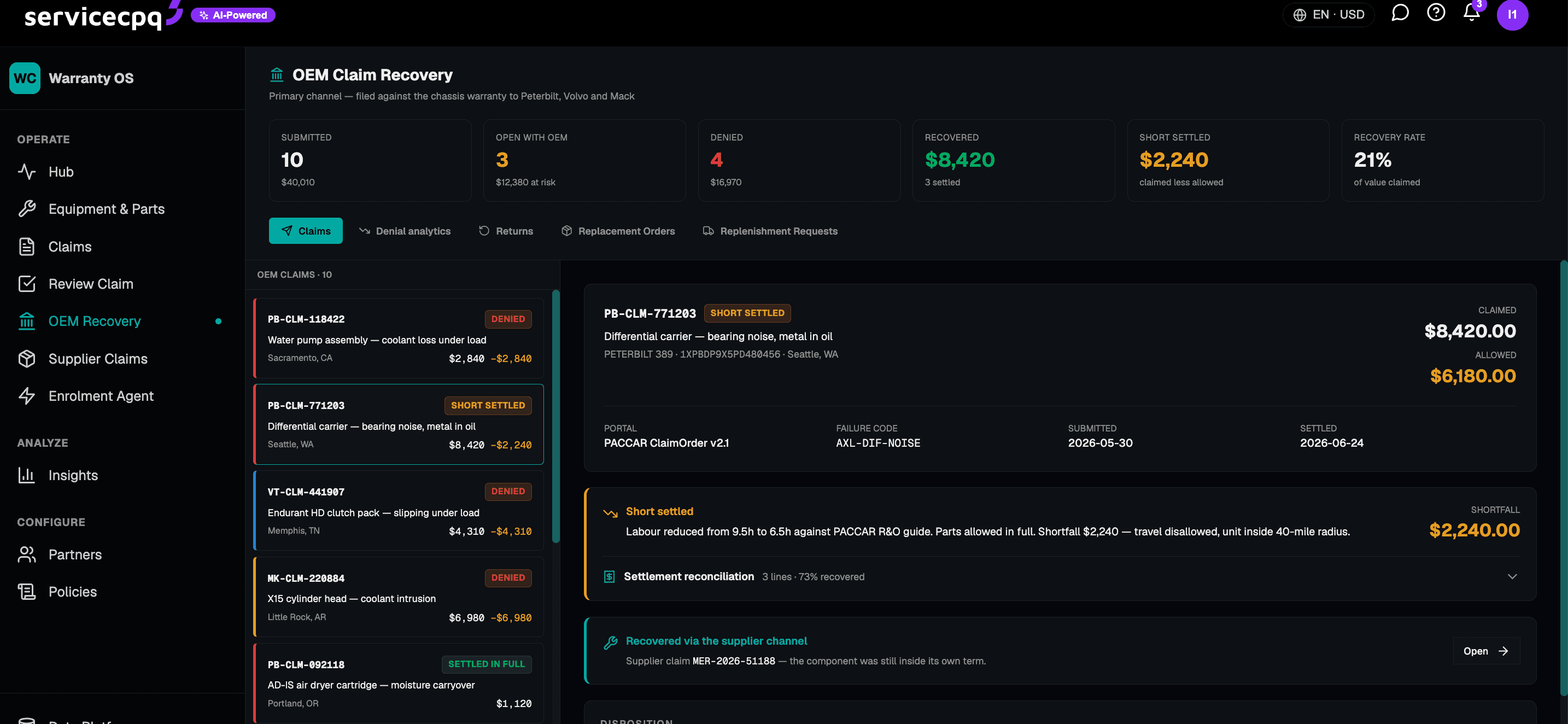
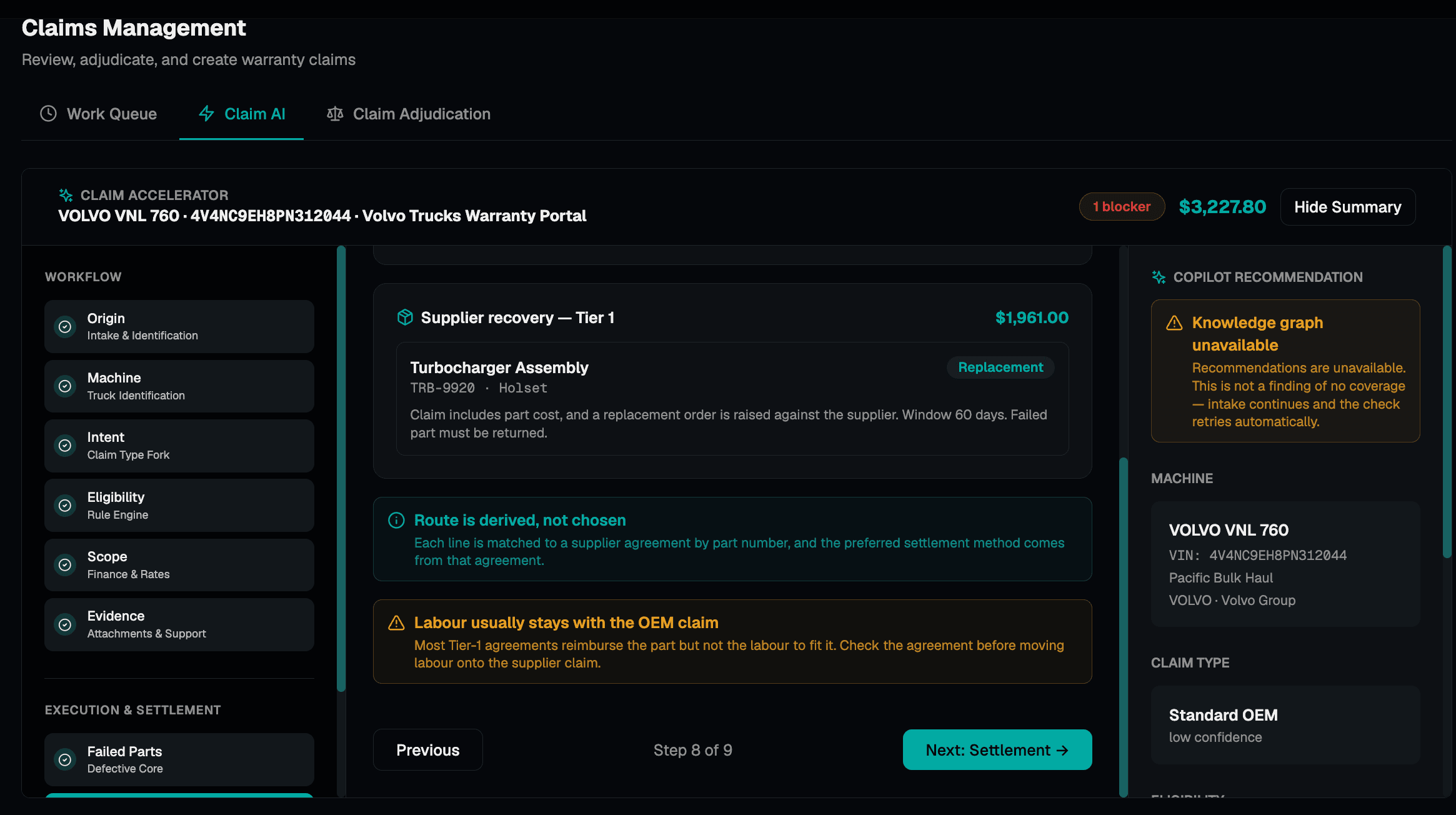
Coverage, terms and the as-built machine checked automatically against entitlement.
Dealer and labour rate rules applied consistently, with exceptions flagged.
Failure, repair and claim dates audited for the sequences that signal fraud.
Recoverable cost identified and packaged for back-charge with an evidence pack.
Activate equipment, warranty and contract in one pass.
When a machine is sold or commissioned, the enrolment agent creates the equipment, attaches and activates its warranty, activates the service contract, and keeps coverage in sync.
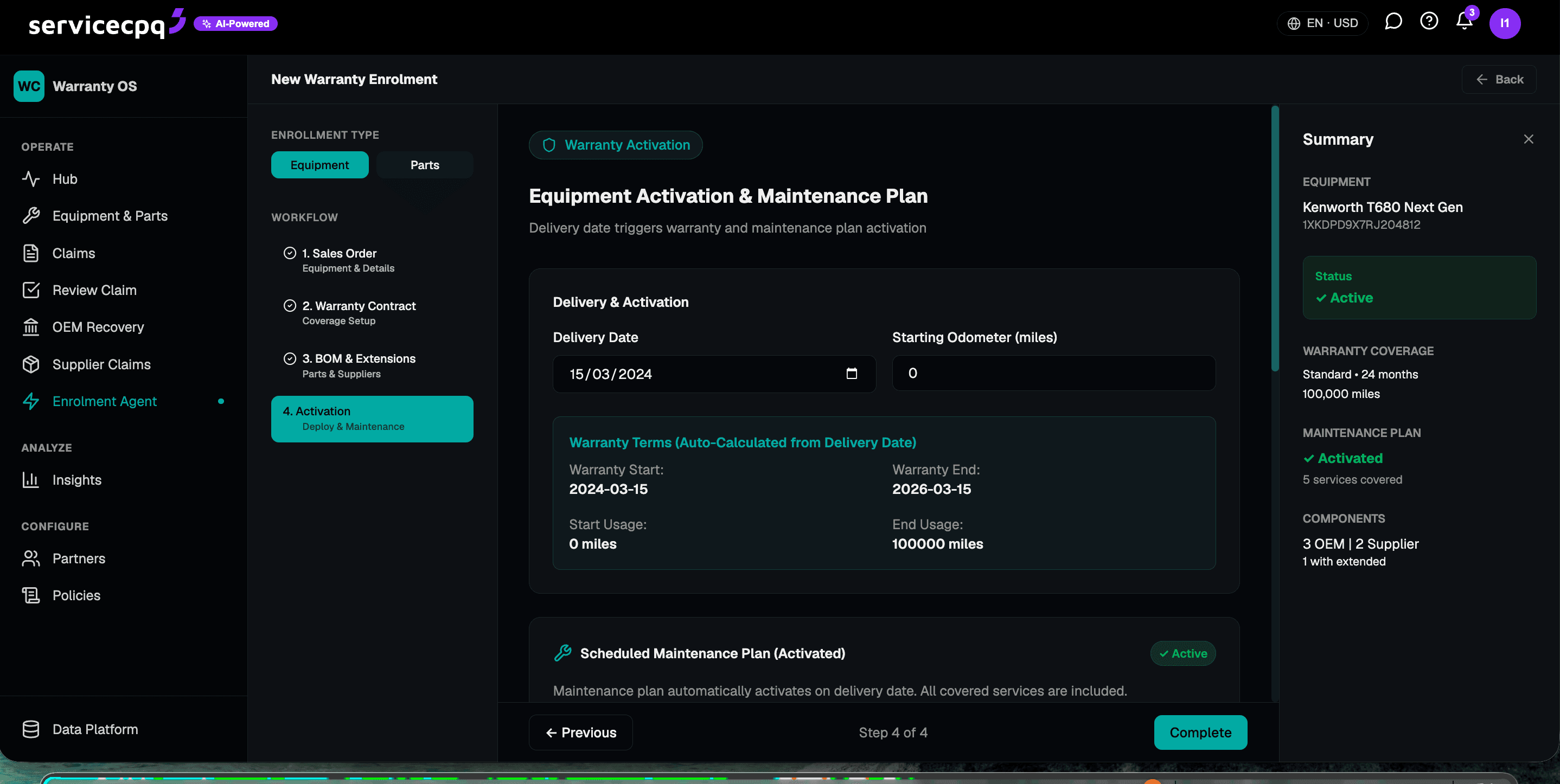
The machine is created as an asset with its configuration and serial on the graph.
The right warranty is attached and activated against the new equipment automatically.
Any service or maintenance contract is activated and linked to the same asset.
Coverage, policy terms and dates stay synced as ownership or configuration changes.
One order graph for parts, returns and backorders.
Every parts order, backorder and return lives on one graph across channels — so availability, allocation and the promise a technician or customer just made all reference the same live state.
One event stream. Four lenses — CFO, VP, manager, controller.
Because every service event carries its own margin, the same finance graph renders four ways — the CFO’s service P&L, the VP’s money-at-risk, the manager’s throughput, the controller’s postings — without a separate reporting build.
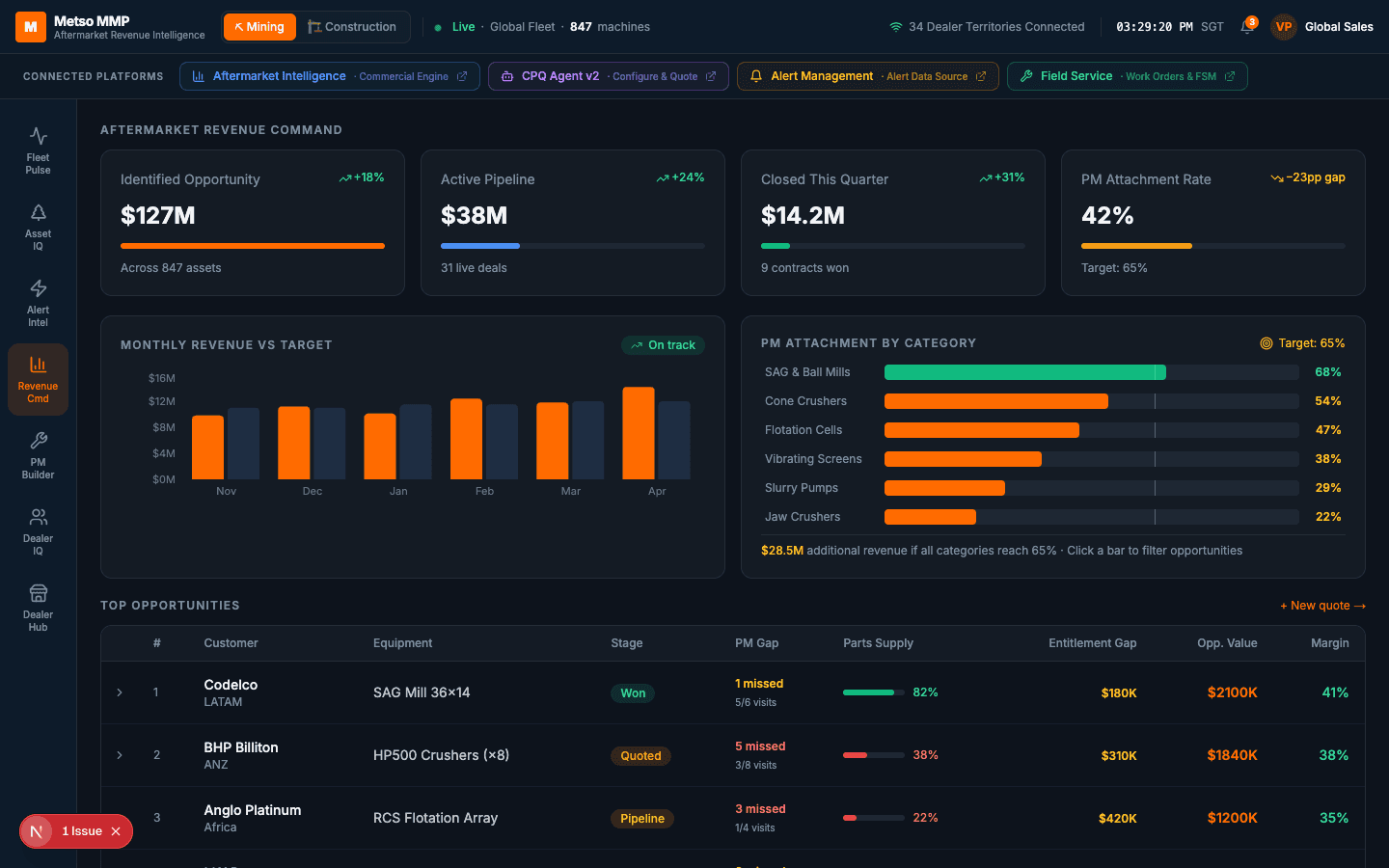
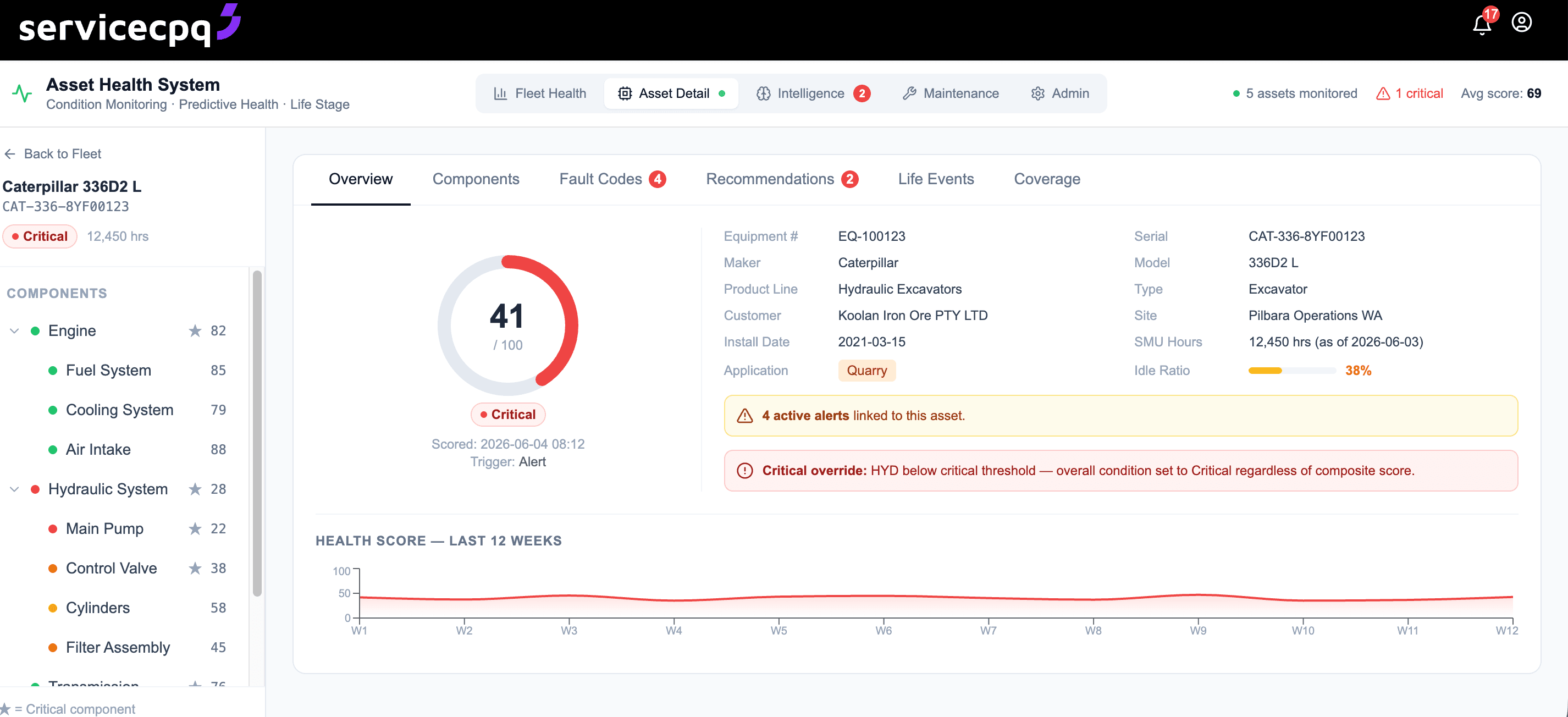
The installed base, scored — every asset, its health and its next service.
Telemetry, fault codes and service history roll up into a health score per asset and per component — the signal the copilots use to open a work order, price an offer or flag a renewal before it lapses.
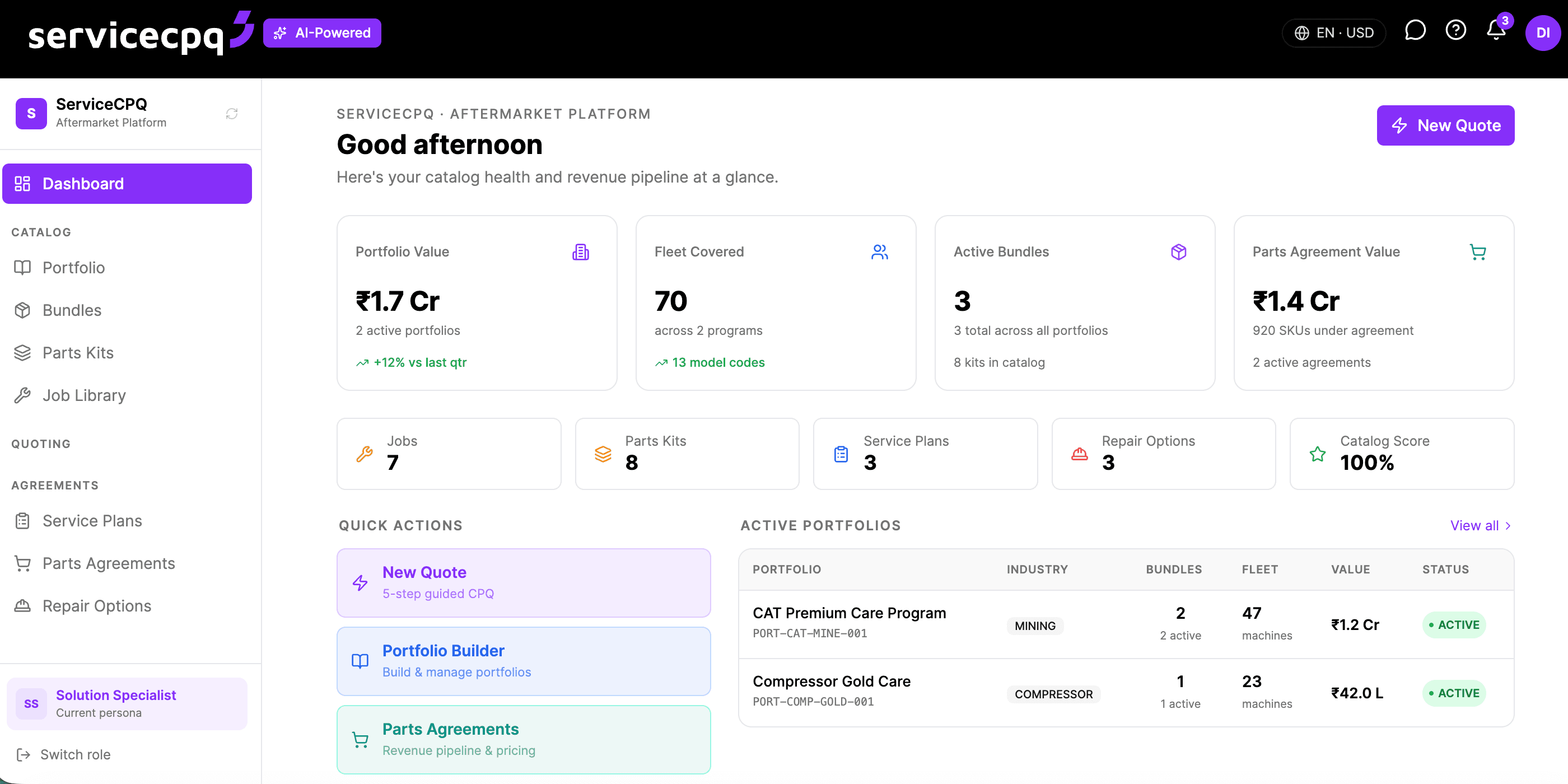
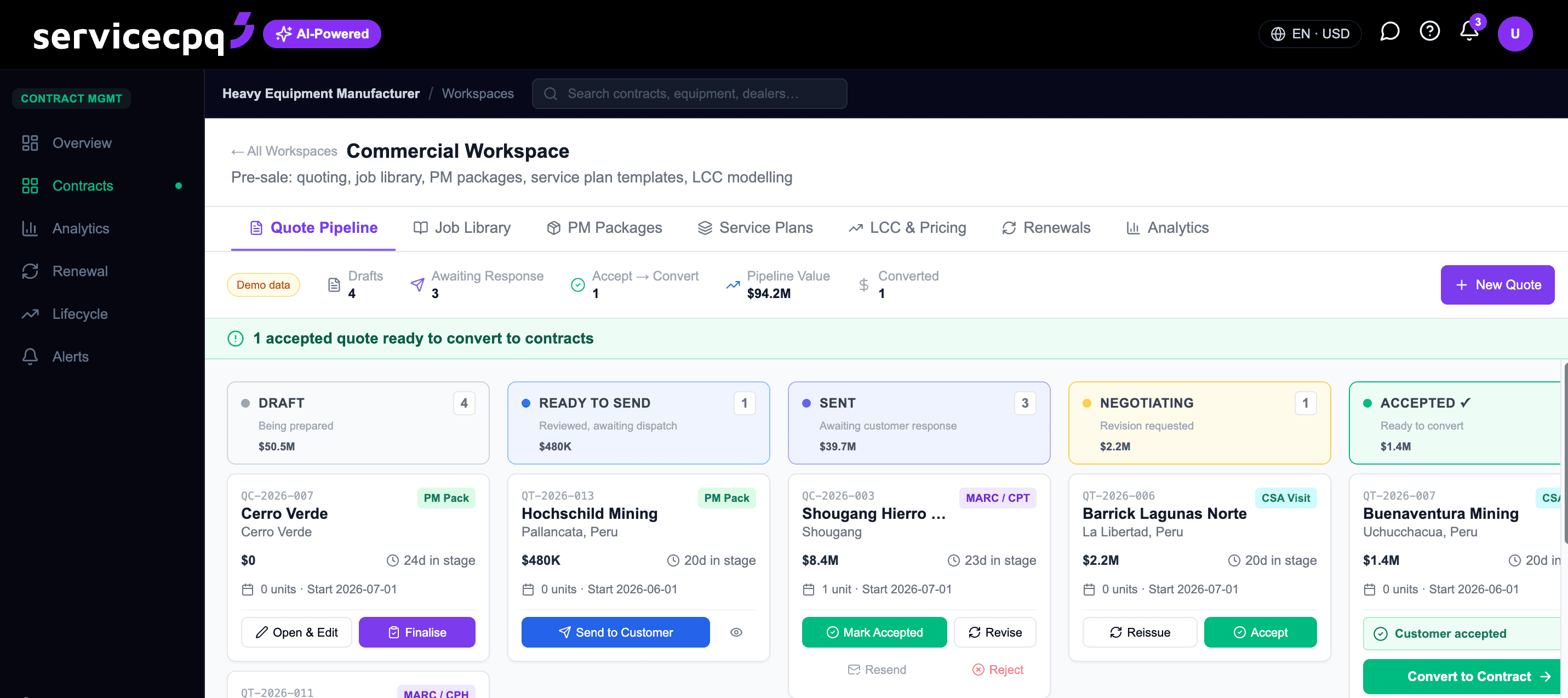
From opportunity to contract or work order — without leaving the graph.
The point of five graphs and four copilots is one outcome: find the revenue in the installed base, quote it, and convert it — parts, service, contract or rebuild — on the same system that will then execute it.
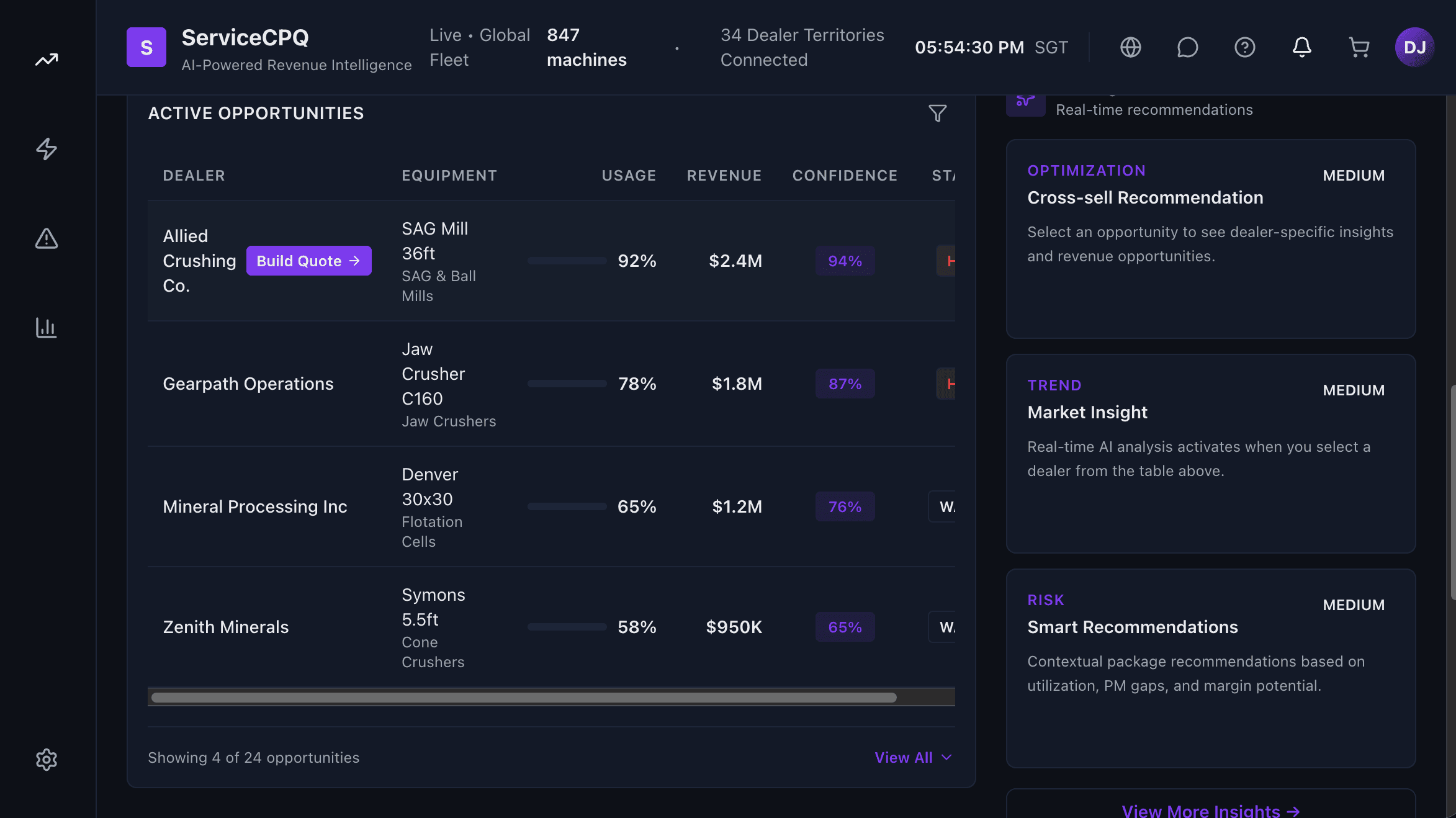
The graph ranks the installed base by renewal, upsell and at-risk-revenue signals.
An opportunity becomes a priced quote — parts, service, contract or rebuild — in one workspace.
The accepted quote converts straight into a contract or a work order, on the same graph.
Frequently asked questions
An aftermarket operating system runs the whole aftermarket — warranty, parts, field service, rebuilds and service contracts — as one connected system rather than a stack of separate tools. In ServiceCPQ, five knowledge graphs (Service Finance, Order Hub, Work Order, Claims & Contract, Asset & Health) share one event stream, and four AI copilots reason over them, so every opportunity, quote, claim and work order references the same records.
Point tools each hold their own copy of the machine, the customer and the entitlement, and reconcile after the fact. Here they read one graph: a fault on the Asset & Health graph can open a work order, check warranty on the Claims & Contract graph, pull the part from the Order Hub graph and post margin to the Service Finance graph — without re-keying or integration glue between four products.
The Work Order Copilot runs field and shop jobs from origination to settlement; the Multi-Shop Copilot strips, diagnoses and quotes component rebuilds across shops; the Claim Accelerator validates, adjudicates and recovers warranty claims; and the Enrolment Agent activates equipment, warranty and contracts when a machine is sold or commissioned.
No. Each copilot maps to a focused capability you can start with — Field Service, Warranty Automation, Warranty Claims Management, Rebuild & Overhaul — and because they share the same graphs, adding the next one compounds rather than requiring another integration project.
It integrates. Parts, stock, orders and financial postings stay in sync with SAP or your ERP of record through native connectors, so the ERP remains the system of record while the aftermarket operating system runs the service, warranty and parts work on top.