Quote, rebuild and close complex repairs in one connected workflow.
RebuildIQ brings commercial preparation, repair execution, parts, shop work and post-repair controls into one workspace. A repair knowledge graph connects equipment and repair knowledge; AI assistants help teams prepare decisions and move work forward — for independent rebuilders and equipment manufacturers, from one workshop to a network of specialist repair centres.
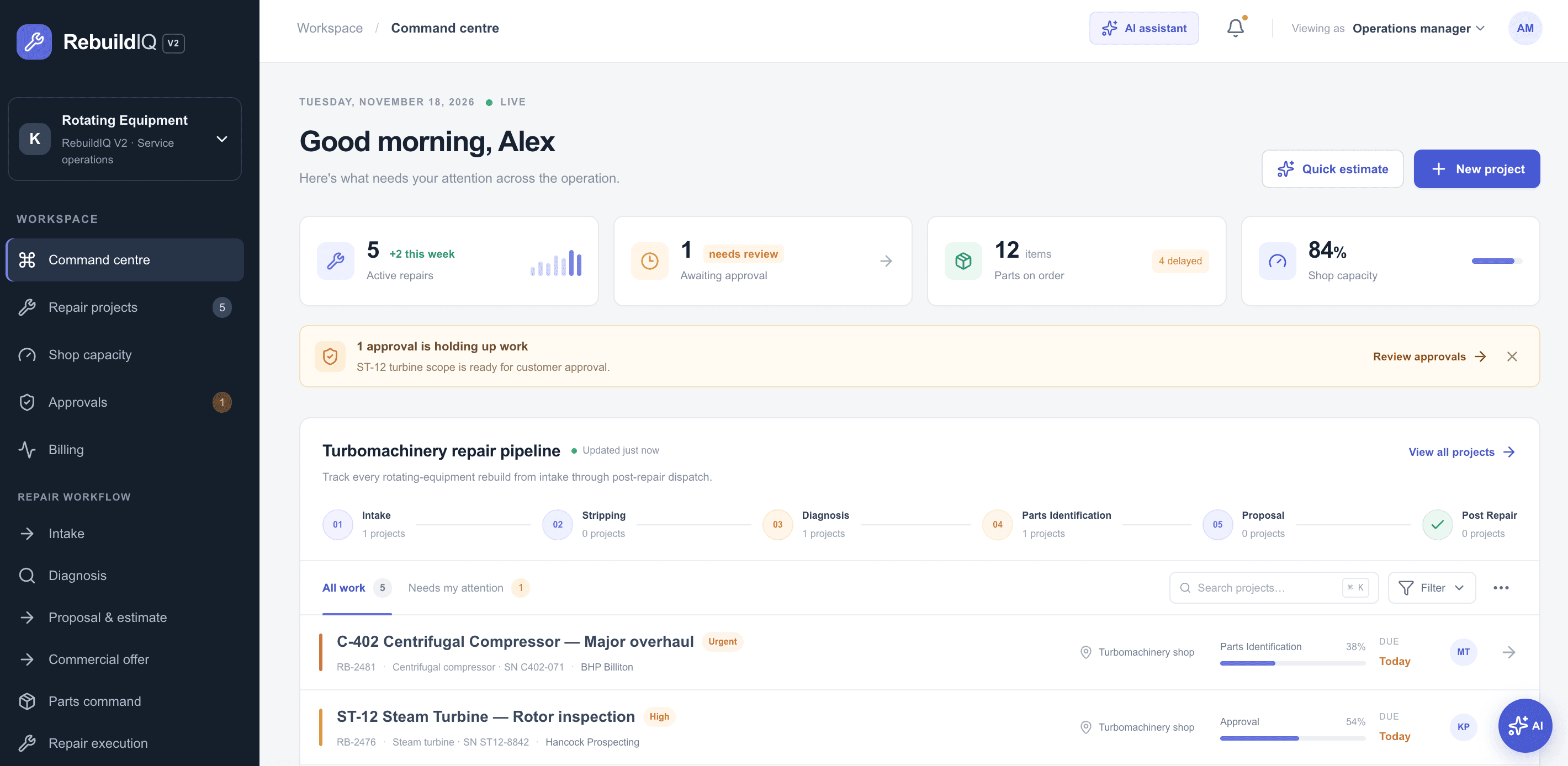
From the first proposal to the warranty follow-up.
A connected journey for a single workshop or a multi-shop operation. Start with a reusable repair plan, follow the work through shops and parts, then close out costs and delivery — the parent repair stays connected to its component work, owners, parts, status and dependencies throughout.
- 01CPQ quote & proposal
- 02Job library
- 03Equipment intake
- 04AI-assisted diagnosis
- 05Scope & approvals
- 06Parts ordering
- 07Shop & resource allocation
- 08Repair, inspect & test
- 09Cost roll-up & invoice
- 10Dispatch & warranty
A stronger starting point for every repair offer.
CPQ and proposal generation help teams prepare a repair offer. Job libraries make relevant prior work, standard operations, parts and labor assumptions reusable — so estimates don’t start from a blank page.
- Labor by grade, skill or operation
- Parts cost, markup and approved alternatives
- Miscellaneous charges and overhead
- Discount authority and approval thresholds
Centrally governed commercial rules keep quote versions and approval decisions connected to the repair.
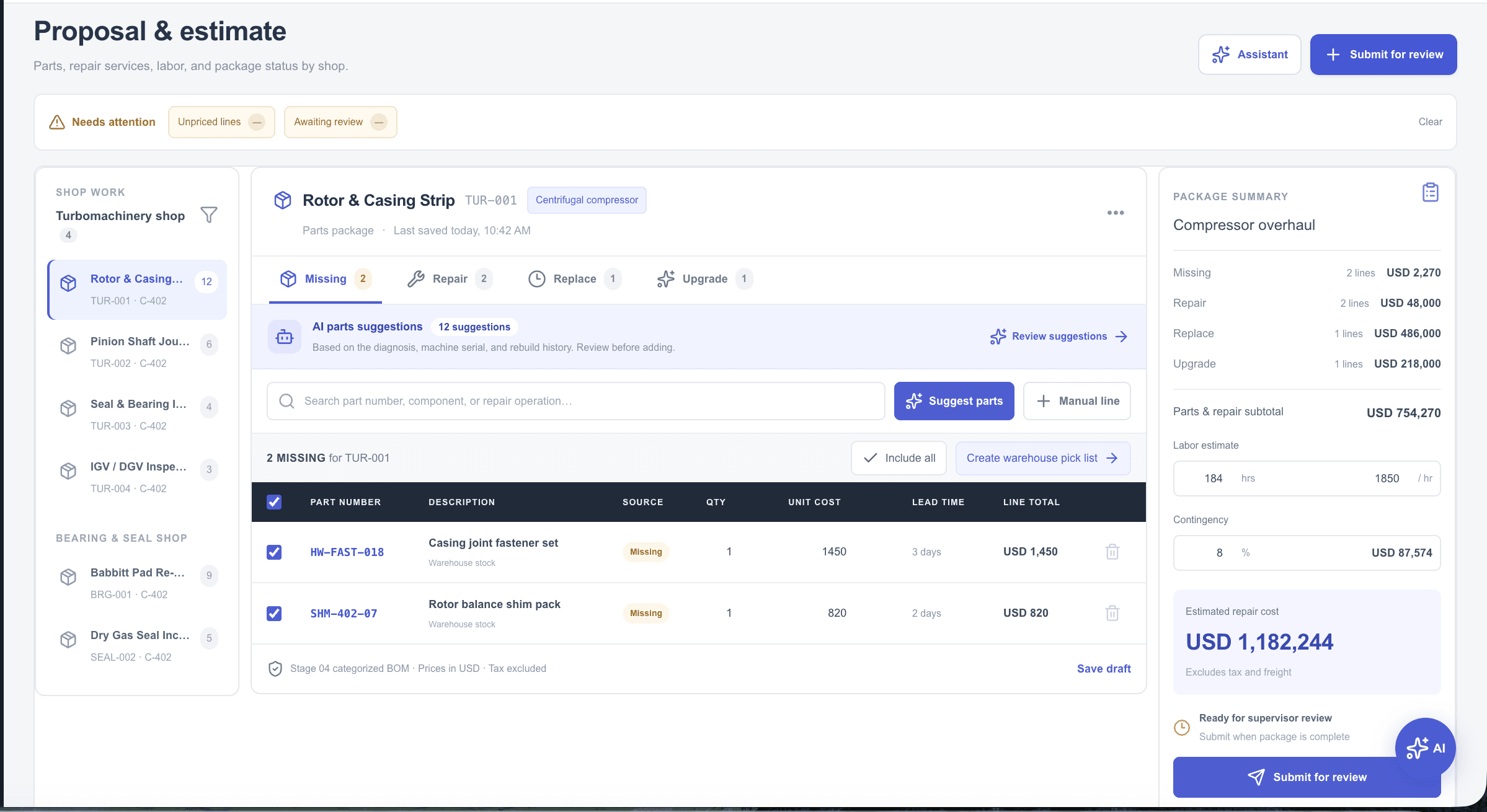
The context behind every repair decision.
The knowledge graph connects equipment and components with symptoms, failure modes, manuals, service bulletins, past jobs, repair operations, parts, prices and shop capabilities — the context behind quoting, diagnosis, parts and repair planning, not a separate tool your team has to operate.
Make the next step easier to prepare.
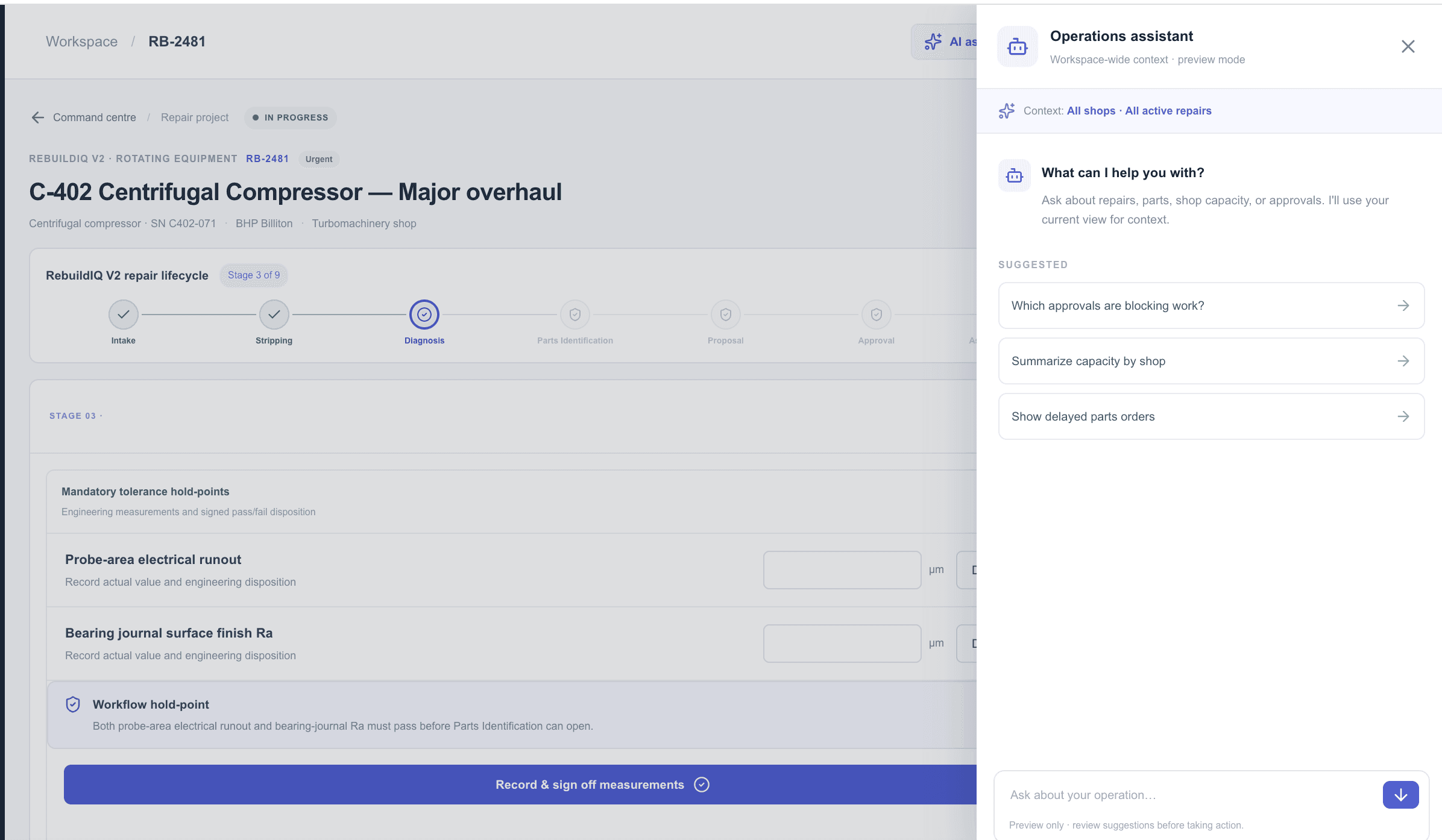
Recommendations draw on connected repair knowledge. The source stays visible, and the decision stays with your team.
Find diagnosis evidence, checks, technical sources, relevant job-library content and shop expertise.
Prepare a draft scope and quote using your governed pricing rules and repair context.
Surface relevant parts and repair options alongside availability and lead-time information.
Help planners weigh shop capability, skills, workload and dependencies before assigning work.
AI prepares recommendations. People approve diagnosis, quotes, work allocation and quality release — the AI assistant runs in preview, with suggestions reviewed before any action.
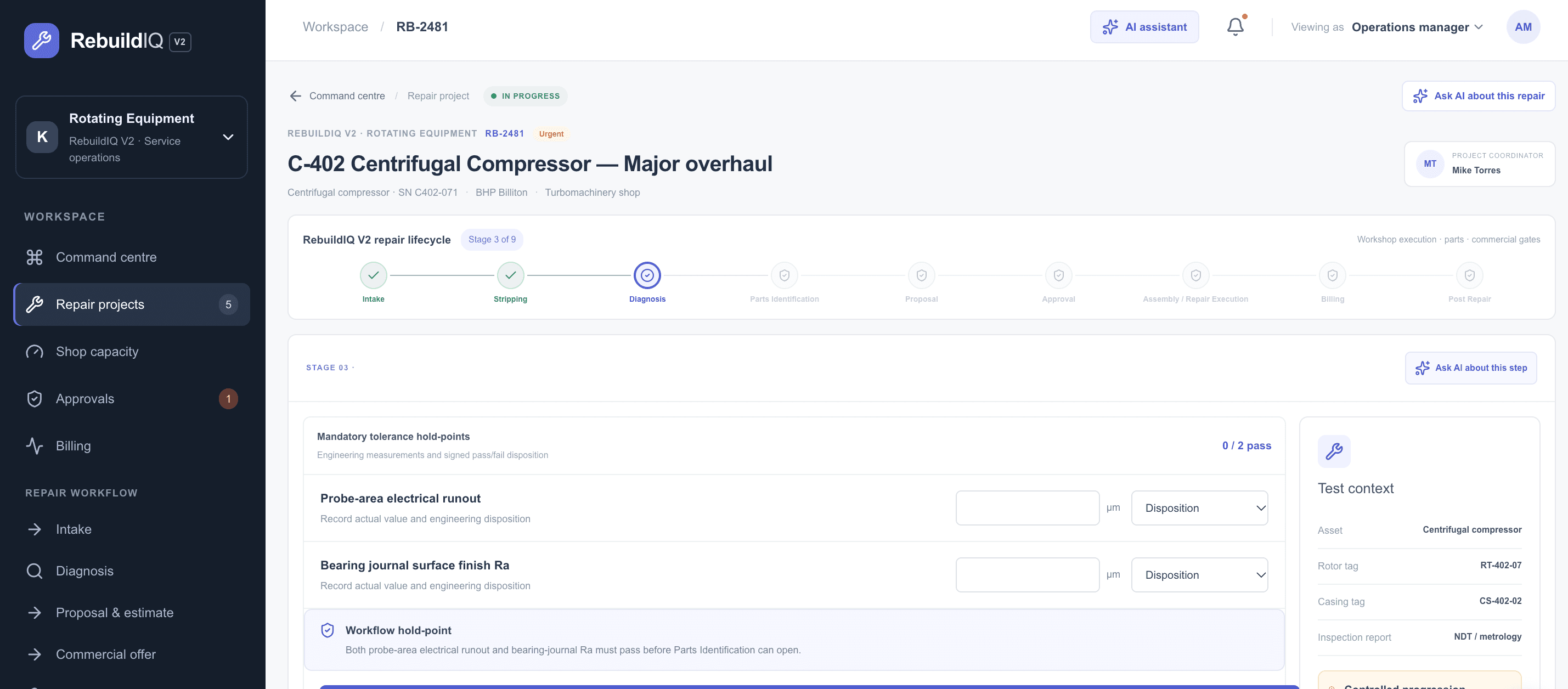
One repair, across people, shops and parts.
Connect the parent repair to component work, shop assignments, resource allocation, parts, status and dependencies. A single workshop and a multi-shop network can both follow the work that contributes to the job, from inbound intake to outbound dispatch.
Capture condition, symptoms and urgency when equipment arrives.
Keep large bills of material — including lists with thousands of items — in the repair planning story.
Coordinate owners, resource capacity and component status through outbound dispatch.
Shop ownership, status, capacity and dependencies roll up to the overall repair.
One cost view. One invoice. Follow-through after dispatch.
Bring costs from component work across shops back to the parent repair. Review the complete job and prepare one invoice, then keep post-repair warranty status and follow-up in view.
- Roll up component costs to the parent repair
- Review the complete job before invoice preparation
- Keep post-repair warranty control in the lifecycle
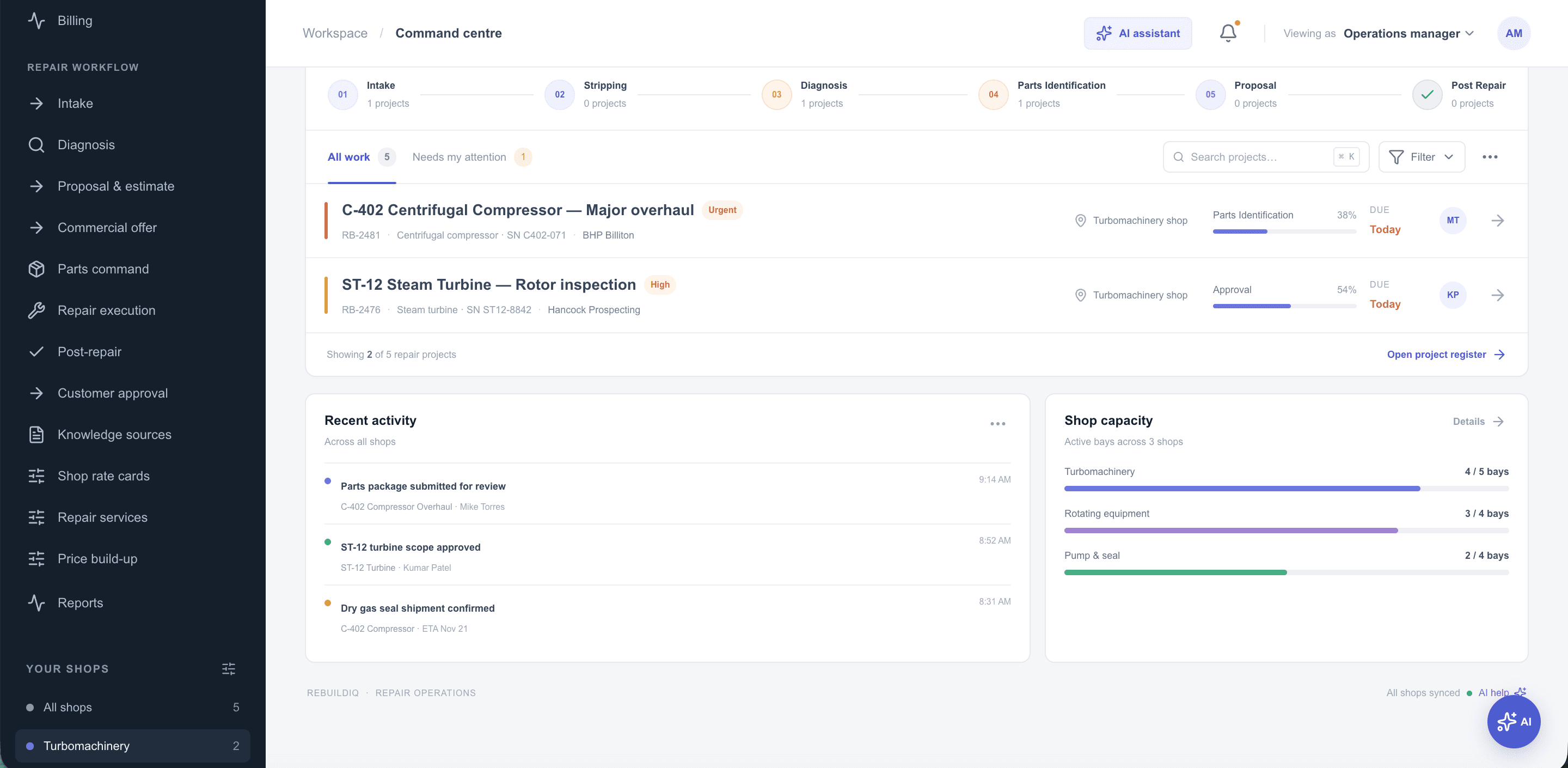
One workspace for the repair workflow — your ERP stays the system of record.
One workshop or a network of shops.
Make repeat work easier to run.
Reuse job knowledge, prepare consistent proposals, coordinate parts and manage workshop workload from one repair workspace.
Coordinate work across specialist teams.
Govern pricing and approvals, coordinate specialist-shop work, manage large parts lists and consolidate job costs.
Start with a baseline, not a promise.
Choose a representative repair, establish current cycle times, and agree improvement targets for a focused pilot.
Repair, rebuild & overhaul — frequently asked
RebuildIQ is a repair, rebuild and overhaul management workspace. It connects the repair record, shop work, pricing, approvals, parts and delivery status across the repair lifecycle.
AI assistants use connected repair knowledge to help find relevant diagnosis evidence, prepare a draft scope or quote, surface parts options and highlight planning dependencies. People review and approve decisions.
It links equipment and components to symptoms, repair history, manuals, parts, labor operations and shop expertise — giving teams useful context for diagnosis and quote preparation.
No. RebuildIQ manages the repair workflow. SAP or another ERP remains the touchpoint for parts ordering and billing.
The parent repair stays linked to the component work assigned to each shop. Teams can see ownership, status, dependencies and how shop work contributes to the overall repair.
Start with a representative repair and measure time spent on diagnosis, quote preparation, parts ordering, shop allocation and delivery. Those baselines can inform a focused pilot.
Bring one repair. Trace it from proposal to warranty.
Choose a representative rebuild and walk through proposal preparation, diagnosis, parts, shop work, cost roll-up and post-repair control — and agree which cycle times and delivery measures to assess.